Kita sudah menjalani perjalanan yang cukup panjang bersama Claude AI — dari fundamental cara kerja, prompt engineering, coding assistance, debugging, dokumentasi, research, hingga automation. Nah, sekarang saatnya kita rangkum semuanya jadi satu blueprint workflow yang praktis, efisien, dan siap implementasi untuk 2026.
Artikel ini adalah "graduation episode" series Kuasai Claude AI. Bukan sekedar recap, tapi panduan actionable yang bisa langsung kamu terapkan mulai hari ini. Kita akan bahas pilihan plan yang tepat, arsitektur Projects ideal, prompt template harus punya, tools integrasi terbaik, dan kebiasaan harian yang bikin Claude makin powerful di workflow kamu.
Recap Perjalanan Series Episode 1-7
Dalam 7 episode sebelumnya, kita sudah belajar:
- Episode 1: Fundamentals — cara kerja Claude, model terbaru, dan basic setup account.
- Episode 2: Prompt Engineering — struktur prompt yang jelas, system messages, dan few-shot examples untuk hasil lebih presisi.
- Episode 3: Coding Assistance — dari code generation, code review, hingga refactoring dengan Claude.
- Episode 4: Debugging & Troubleshooting — cara pakai Claude untuk trace error, optimize algorithm, dan problem-solving teknis.
- Episode 5: Documentation & Knowledge Base — auto-generate docs, maintain consistency, dan bangun knowledge base dari codebase.
- Episode 6: Research & Analysis — menggunakan Claude untuk competitive research, data analysis, dan insight extraction.
- Episode 7: Automation & Integration — setup API, batch processing, dan integrasi Claude ke workflow tools.
Setiap episode adalah building block. Kali ini kita akan menggabungkannya semua dalam satu ecosystem yang kohesif dan produktif.
Pilih Plan yang Tepat untuk Kebutuhan Kamu
Pertanyaan pertama: berapa banyak interaction dengan Claude yang kamu butuhkan per hari? Jawabannya menentukan plan mana yang paling cost-effective.
Claude Free Plan cocok jika kamu masih experimental atau project personal. Kelebihan: zero cost, akses ke latest model. Kekurangan: rate limit ketat (message per hour terbatas), no API access, no file upload size generous.
Claude Pro adalah rekomendasi utama untuk developer Indonesia yang serius. Seharga subscription Netflix, kamu dapat: unlimited messages per hari, priority access, usage ceiling yang jauh lebih tinggi, dan early access fitur baru. Investasi kecil ini sudah worthed jika Claude dipakai 2+ jam per hari.
Claude API (Pay-as-You-Go) adalah pilihan kalau kamu mau integrate Claude ke aplikasi atau automasi berbasis batch. Harga per token sangat reasonable — untuk project automation atau asisten internal, biaya operasional bisa kurang dari $10/bulan. Rekomendasi setup: pakai free tier API untuk development, upgrade ke paid kalau sudah production dan stable usage-nya.
Kesimpulan: mulai dengan Free Plan atau Pro untuk learning phase (3-4 bulan). Setelah comfort dengan workflow, evaluate apakah Pro atau API lebih cocok. Banyak developer Indonesia yang justify Pro membership cuma dari waktu yang dihemat untuk coding review dan debugging.
Arsitektur Projects Ideal: Struktur dan Naming Convention
Claude punya fitur "Projects" yang sering diabaikan tapi sangat powerful. Project memungkinkan kamu maintain context, organize knowledge base, dan punya "workspace" terpisah untuk berbagai tujuan.
Rekomendasi struktur Projects untuk developer Indonesia:
- Project: "[App Name] - Codebase Reference" — Simpan file struktur project, architecture docs, dependency list. Gunakan ini sebagai context base setiap kali kamu tanya Claude tentang feature baru atau refactoring. File yang disimpan: main.py, package.json, architecture.md, API structure.
- Project: "Prompt Templates & Snippets" — Kumpulan prompt template yang sering kamu pakai (code review, debugging, documentation generation, architecture design). Setiap template sudah dilengkapi contoh input dan output ideal. Ini jadi "playbook" pribadi kamu.
- Project: "Tech Research & Decision Log" — Simpan hasil research framework, library evaluations, dan tech decision yang sudah kamu dokumentasikan. Berguna untuk referensi project baru dan consistency across projects.
- Project: "Learning & Experimentation" — Sandbox untuk trial fitur baru, test approach baru, atau learning tentang tech yang unfamiliar. Space ini aman buat bertanya "stupid questions" tanpa khawatir context terkontaminasi project production.
Setup tips: gunakan consistent naming convention (tanggal, type, singkat), cleanup Projects yang sudah tidak aktif setiap kuartal, dan backup important conversations dengan export jika critical.
Prompt Template Wajib Punya untuk Developer
Jangan mulai dari 0 setiap kali interact dengan Claude. Template ini adalah gold standard yang sudah teruji:
Template 1: Code Review Setup
Kamu adalah senior code reviewer yang strict tapi fair. Review code berikut dengan fokus pada: readability, performance, security, dan best practices [tech stack]. Format review sebagai: [Issue] → [Why Bad] → [Recommendation] → [Example].

[Paste Code Here]

Berikan priority: Critical, High, Medium. Total rekomendasi: max 5 poin yang paling impact.
Template 2: Debugging Structured
Konteks: [Framework] + [Database] + [Deployment: local/staging/prod]

Error message:
[Exact error log]

Flow yang dijalankan:
1. [Step 1]
2. [Step 2]
3. [Step 3]

Code context:
[Relevant code snippet]

Apa yang sudah dicoba: [List attempts]

Give me: root cause → fix → test approach
Template 3: Documentation Auto-Generation
Generate documentation untuk function/module berikut dalam format Markdown:
- Deskripsi singkat (1 baris)
- Parameters (type, description, example)
- Return value
- Usage example
- Common pitfalls
- Related functions

[Code here]
Template 4: Architecture Decision
Konteks: [Problem statement]
Constraints: [Tech stack, team size, timeline]
Options sudah diconsider: [List]

Ask Claude untuk:
1. Evaluate mana terbaik dengan pro/cons
2. Implementation roadmap untuk pilihan rekomendasi
3. Migration path jika salah dan perlu pivot
Simpan template-template ini di Project "Prompt Templates & Snippets" kamu. Setiap kali butuh, tinggal copy-paste dan customize variablenya.
Tools Integrasi Terbaik untuk Developer Workflow
Claude tidak hidup sendiri. Paired dengan tools yang tepat, nilai Claude jadi berlipat ganda:
- GitHub Copilot + Claude Web — Copilot untuk in-IDE code completion, Claude Web untuk deeper thinking dan refactoring skala besar. Keduanya saling complement, bukan competing.
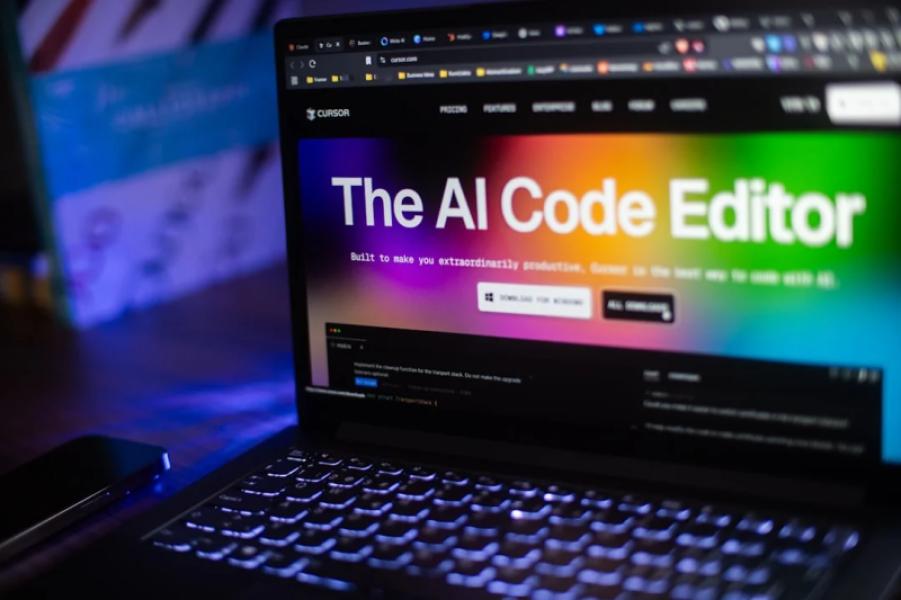
- Cursor IDE — Text editor yang built-in support Claude AI sebagai core feature. Kalau kamu development mostly local coding, Cursor adalah game-changer. Alternative: VS Code + Claude API integration melalui extension.
- Make (formerly Integromat) atau Zapier — Automate workflow: GitHub push trigger → Claude analyze code → Slack notification dengan insight. Setup automation ini bisa reduce manual work significantly.
- Notion + Claude API — Auto-generate documentation atau meeting notes menggunakan Claude API. Template: save meeting transcript ke Notion → Claude API process → output summary dan action items kembali ke Notion.
- Git + Claude for Commit Messages — Setup local git hook yang trigger Claude API untuk generate meaningful commit messages dari diff. Format: "type(scope): description" jadi consistent dan informative.
- Linear / Jira + Claude API — Automated issue analysis: ketika issue baru dibuat, Claude automatically generate initial tech investigation atau proposal solution.
Rekomendasi setup progression: start dengan Cursor IDE (if local dev), add Make/Zapier automation untuk 1-2 workflow paling repetitif, expand ke Notion integration kalau dokumentasi jadi pain point.
Kebiasaan Harian yang Bikin Claude Makin Powerful
Tool secanggih apapun tidak akan powerful kalau dipakai dengan cara yang salah. Habit ini akan maximize ROI Claude investment kamu:
- Daily Standup dengan Claude (5 menit) — Start hari dengan: "Today I want to [goal]. My blockers are [list]. Help me plan approach dan identify risks." Clarification di awal simpan waktu di sore hari.
- "Thinking Time" Session (2x/minggu, 15 menit) — Set aside waktu untuk deeper thinking. Tanya Claude tentang architecture decisions, technology evaluation, atau career development. Output: decision log yang bisa direferensikan kemudian.
- Code Review Swap (Weekly) — Set Claude Projects dengan recent pull request dari team. Ask Claude untuk review sebelum submit ke human reviewer. Benefit: catch basic issues early, human reviewer focus pada logic dan design.
- Document-as-You-Build — Jangan wait til end project untuk documentation. Every time kamu implement significant feature, tanya Claude: "Generate doc untuk feature ini dalam 2 paragraf + usage example." Habit ini prevent documentation debt.
- Weekly Learnings Export (Friday, 10 menit) — Ask Claude: "Summarize technical challenges solved this week dan learning outcomes." Export ke Notion. Compounded knowledge = professional growth documentation.
- Prompt Template Iteration — Setiap bulan, review prompt template yang dipakai. Kalau ada yang consistently missing the mark, iterate dengan Claude: "Why did this prompt produce output like X? Improve template based on lessons."
Claude Starter Pack Checklist untuk 2026
Copy-paste checklist ini dan screenshot. Share progress kamu di kolom komentar:
[ ] Pilih plan (Free / Pro / API) yang sesuai budget dan usage forecast
[ ] Setup 4 Projects: Codebase, Templates, Research, Learning
[ ] Save 4 core prompt templates di Projects
[ ] Install Cursor IDE atau setup Claude API di VS Code
[ ] Integrate 1 automation tool (Make atau GitHub hook)
[ ] Share codebase context (architecture.md, key files) ke Project 1
[ ] Establish daily routine: 5-min planning + code review before commit
[ ] Setup weekly learning export habit
[ ] Read and bookmark Claude documentation yang relevant untuk tech stack
[ ] Create 1 Notion template untuk issue analysis atau documentation
[ ] Invite 1 team member ke "Prompt Templates" Project untuk feedback
[ ] Schedule monthly template iteration session with Claude
[ ] Measure: track time saved and quality improvement for 1 month
[ ] Adjust workflow based on month 1 learnings
[ ] Share setup dengan developer network kamu
Kesimpulan
Perjalanan series "Kuasai Claude AI" ini bukan akhir, tapi starting point. Claude bukan magic tool yang langsung solve semua masalah — tapi paired dengan structured workflow, template yang tepat, dan kebiasaan yang konsisten, Claude jadi force multiplier yang significant untuk productivity developer Indonesia.
Setup workflow yang outline di artikel ini adalah opinionated blueprint — ia proven work, tapi setiap developer unique. Yang penting: dimulai dari foundation solid (plan yang tepat + Projects terstruktur), tambahkan elemen satu per satu, measure hasilnya, iterate, dan build habit yang sustainable. Tahun 2026 bukan tentang siapa yang paling tech-savvy, tapi siapa yang paling efficient dalam leverage tools yang available. Claude, kalau disetup dengan benar, adalah competitive advantage yang legitimate. Sekarang giliran kamu untuk customize starter pack ini sesuai context project dan tim kamu. Jangan ragu untuk experiment, fail fast, dan share apa yang berhasil di kolom komentar. Tech community kita berkembang dari shared learning seperti ini.